Hello Friends,
Nowadays virtualization has an important role in IT. We need this to validate an upgrade path, to deploy new scenarios or just to do experimental things in a lab environment before putting it in a Production network.
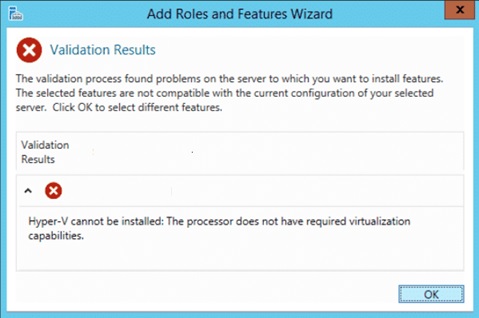
While I was setting up my lab environment to deploy Hyper-V on Windows Server 2016, I got the following error message:
“Hyper-V cannot be installed: The Processor does not have required virtualization capabilities”
I am using Windows Server 2016 on an ESXi 6 Hypervisor.
To “fix” this issue, we have to edit the VM configuration on vCenter.
Go to vCenter WebClient and then right click on the Virtual Machine and select Edit Settings…
Once opened, expand CPU settings and then mark the check box “Expose Hardware assisted virtualization to the guest OS”.
This feature is needed to run a new layer of hypervisor inside the guest OS.

Then click ok and afterwhich, the Hyper-V server role installation should be done with success.
See you in my next post.


Thanks a lot
LikeLike